
Software development is no longer a solo activity.
Whether you’re building a college project, contributing to an open-source repository, or working in a professional software team, understanding Git and GitHub has become a fundamental skill for every developer.
During a recent GitHub Master Class at TRL FutureX, Chirag Unadkat, CTO at Techrays Labs, shared practical insights into how professional development teams use Git and GitHub to collaborate, track changes, and build software efficiently.
In this blog, we’ll explore the key concepts covered during the session and understand why version control is one of the most important skills for aspiring developers.
Why Version Control Exists
Before version control systems became popular, software teams faced several challenges:
- No reliable way to track changes
- Files getting overwritten by teammates
- Difficulty identifying who changed what and when
- No ability to revert to previous working versions
- Loss of important work due to accidental overwrites
Imagine spending hours building a feature only to discover that someone accidentally replaced your changes.
Version control systems solve these problems.
With Git, every change is recorded, tracked, and recoverable.
Developers can collaborate safely without fear of losing work.
What is Git?
Git is a distributed version control system that runs on your local computer.
Its primary purpose is to track changes in files and maintain a complete history of your project.
Git allows developers to:
- Track modifications
- Compare versions
- Create branches
- Collaborate efficiently
- Restore previous versions
- Manage project history
Think of Git as a powerful timeline for your code.
Every meaningful change becomes a checkpoint that can be revisited whenever needed.
What is GitHub?
Many beginners confuse Git and GitHub.
They are related, but they are not the same thing.
Git
Git is the tool.
It runs on your computer and manages version history.
GitHub
GitHub is the platform.
It hosts Git repositories online and adds collaboration features such as:
- Pull Requests
- Code Reviews
- Issue Tracking
- Team Collaboration
- Continuous Integration (CI/CD)
Other platforms like GitLab and Bitbucket provide similar functionality.
Git is the technology.
GitHub is one of the most popular platforms built around it.
Understanding the Git Workflow
One of the most important concepts discussed during the master class was Git’s workflow.
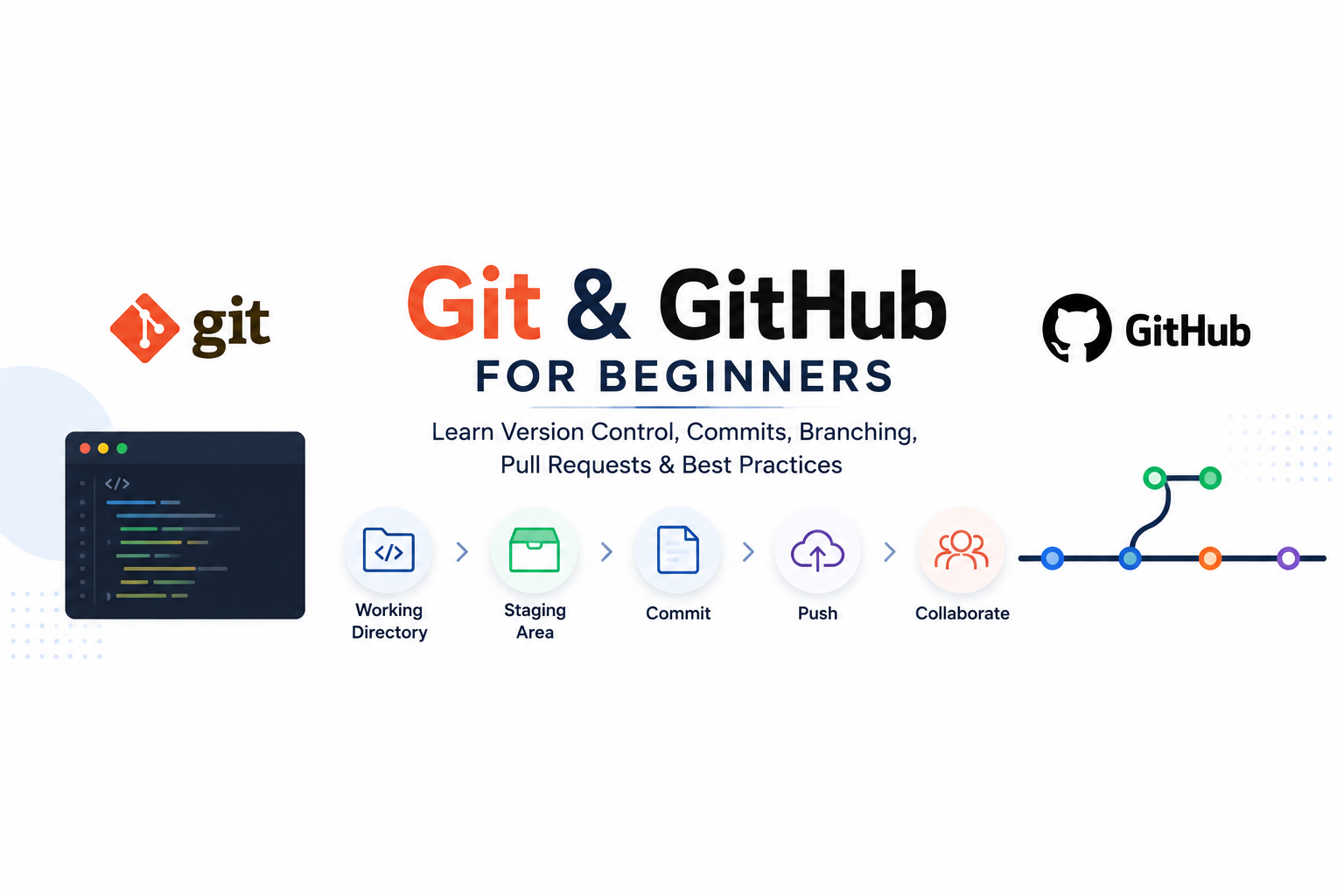
Step 1: Working Directory
This is where you actively edit files.
Step 2: Staging Area
Using:
git add
You move selected changes into the staging area.
The staging area acts as a preparation zone before creating a commit.
Step 3: Commit
Using:
git commit
You save a snapshot of your changes.
A commit creates a permanent checkpoint in your project’s history.
Step 4: Push
Using:
git push
You send your commits to the remote repository on GitHub.
Once pushed, team members can access and review your changes.
Why Git Configuration Matters
Every commit contains information about its author.
Developers configure:
- Username
- Email Address
This ensures that every change can be traced back to the correct contributor.
In professional environments, accountability and traceability are essential for maintaining high-quality software projects.
Writing Good Commit Messages
One of the most overlooked skills among beginners is writing meaningful commit messages.
Many students use messages such as:
- Fix
- Update
- Changes
- Test
- Final
These messages provide no useful information.
Better Commit Messages
Instead of:
“Fix”
Use:
“Fix timezone calculation issue in invoice module”
Instead of:
“Update”
Use:
“Add validation for login form submission”
A good commit message should clearly explain:
- What was changed
- Why it was changed
Future developers—including your future self—will thank you.
Why Small Commits Are Better
Many beginners work for several days and create a single massive commit.
This creates several problems:
- Difficult code reviews
- Harder debugging
- Increased merge conflicts
- Reduced project transparency
Professional developers commit frequently.
Instead of one giant commit, break work into smaller logical units:
- Base setup
- Controller implementation
- Database changes
- Bug fixes
- UI improvements
Small commits make projects easier to understand and maintain.
Common Git Mistakes Students Should Avoid
Committing Sensitive Files
Never commit:
- Passwords
- API Keys
- Environment Files
- Secrets
Use .gitignore to prevent these files from being tracked.
Committing Node Modules
Large dependency folders should never be committed.
These can always be reinstalled using package managers.
Poor Commit Messages
Avoid vague commit messages that provide no context.
Large Unreviewable Commits
Keep commits focused and manageable.
Understanding Branching
One of Git’s most powerful features is branching.
Branches allow developers to work independently without affecting production code.
This makes parallel development possible.
A Professional Branching Strategy
During the session, Chirag explained a common industry workflow:
Main (Master)
Production-ready code.
Staging
Used for quality assurance testing.
Development
Integration branch for developers.
Feature Branches
Individual branches used for specific tasks.
Workflow:
Feature Branch → Development → Staging → Main
Each stage adds additional validation and testing.
This ensures that production remains stable.
What is a Pull Request?
A Pull Request (PR) is how developers propose changes.
Before code is merged:
- Team members review it
- Suggestions are made
- Issues are identified
- Quality checks are completed
Pull Requests improve software quality and team collaboration.
Daily Git Habits Every Developer Should Follow
Pull Before You Start
Always update your branch before beginning work.
This helps avoid merge conflicts later.
Commit Frequently
Small commits create cleaner project history.
Keep Branches Organized
Delete feature branches after they are merged.
Use Meaningful Messages
Describe your changes clearly.
Review Your Changes
Never push code blindly.
Always review before committing.
Why Git Skills Matter for Students
Many students focus heavily on programming languages but ignore collaboration tools.
However, in real software companies:
Developers don’t just write code.
They:
- Collaborate
- Review code
- Manage branches
- Handle pull requests
- Resolve conflicts
- Maintain version history
Git and GitHub are used by companies of all sizes—from startups to global technology organizations.
Learning these tools early provides a significant advantage during internships and job placements.
Final Thoughts
Git is more than just a tool.
It is the foundation of modern software collaboration.
Understanding version control helps students become more organized, more productive, and more prepared for professional development environments.
At TRL FutureX, we believe that industry readiness comes from practical learning and real-world exposure.
Mastering Git and GitHub is one of the first steps toward becoming a professional software developer.
If you’re serious about building a career in technology, start using Git today.
Your future teammates—and future employers—will expect it.
Learn. Build. Grow.